Image Denoising
Noise that replaces some pixels with white (255) or black (0) is called salt-and-pepper noise. On this page, we restore a photo that has salt-and-pepper noise. Each pixel’s brightness is an integer variable in 0 to 255, and we solve an optimization problem that looks for an image that is close to the noisy image and whose neighboring pixels differ little.
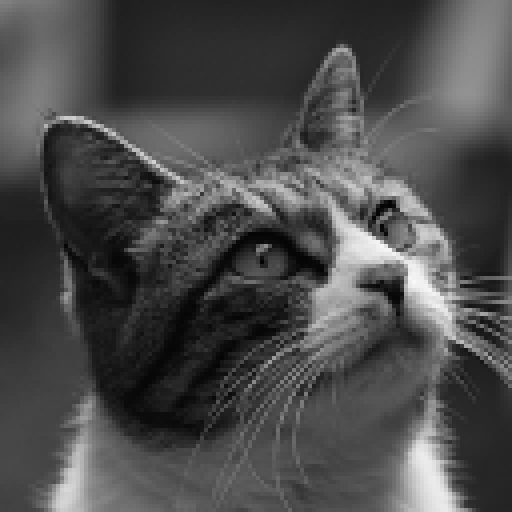
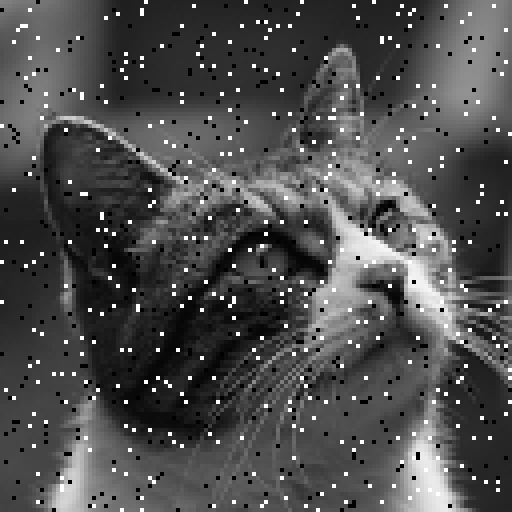
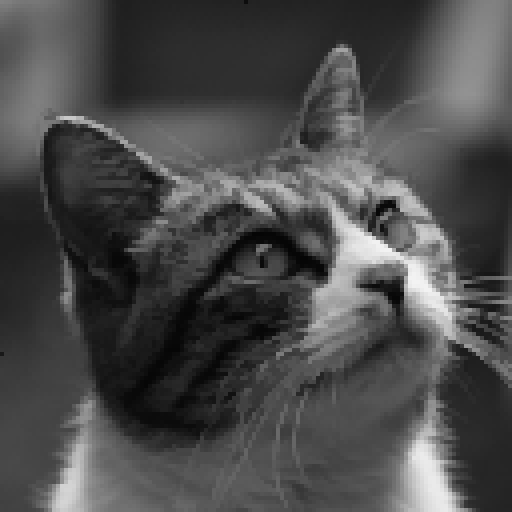
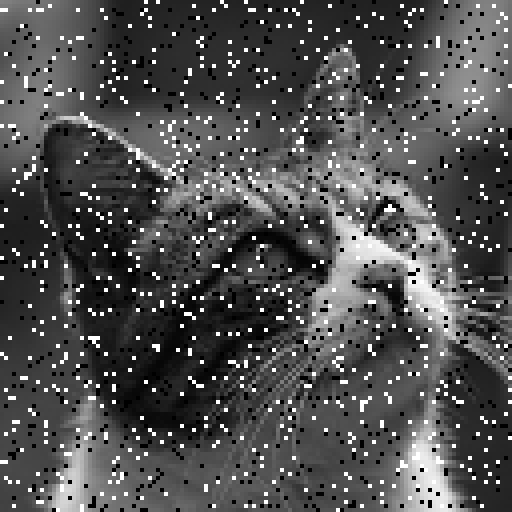
The left image is the original ($128 \times 128$ pixels); on the right, 5% of its pixels (one in 20) were replaced at random with white or black.
Formulation
Let $y_{ij}$ be the value of pixel $(i,j)$ in the noisy image, and let the restored pixel values be integer variables $x_{ij} \in \lbrace 0, 1, \ldots, 255 \rbrace$. We minimize the following objective function:
\[E(x) = A \sum_{i,j} \min\bigl(|x_{ij} - y_{ij}|,\ D\bigr) + \lambda \sum_{\text{neighboring } (i,j),\,(k,l)} |x_{ij} - x_{kl}|\]- The first term (data term) grows as the restored image moves away from the noisy image, but it stops growing at $AD$ once the difference exceeds $D$. A noisy pixel is far from its original value, so returning it to the original value costs only $AD$. In other words, pixels with large differences are treated as outliers.
- The second term (smoothing term) is the sum of the absolute differences between vertically and horizontally neighboring pixels. Unlike squared differences, absolute differences do not overly penalize large differences, so edges where the brightness changes sharply are kept without blurring.
Below we use $A=3$, $D=60$, and $\lambda=1$. The ratio of the weights is chosen so that noise dots disappear and thin lines remain:
- A single pixel that differs from its surroundings is pulled by its four neighbors. Moving its value $\delta$ toward them increases the data term by at most $A\delta = 3\delta$ but decreases the smoothing term by $4\lambda\delta = 4\delta$, so the dot blends into its surroundings and disappears.
- If a line one pixel wide (such as a cat’s whisker) is moved as a whole $\delta$ toward its surroundings, the smoothing term decreases by only $2\lambda\delta = 2\delta$ per pixel, which is less than the $3\delta$ increase of the data term. So the line remains.
Writing $\min$ as a QUBO++ expression
$\min(\lvert r \rvert, D)$ would naturally be written as qbpp.min(qbpp.abs(r), D), but a nonlinear function (abs, relu, max, min) cannot contain another nonlinear function (they cannot be nested); doing so raises an error (see Arithmetic rules). So we write it by adding and subtracting qbpp.abs (absolute value) and qbpp.relu ($\max(0, \cdot)$) as follows:
Indeed, if $\lvert r \rvert \le D$, both relu terms are 0; if $r > D$, it is $r - (r - D) = D$; and if $r < -D$, it is $-r - (-r - D) = D$.
Because the data term has an upper limit, this objective function is not convex (it is non-convex). Non-convex objective functions are generally hard to minimize, and the efficient methods for convex functions do not apply. In QUBO++, the expression written with integer variables and qbpp.abs / qbpp.relu can be passed to a solver as it is.
PyQBPP Program
Put the noisy input image denoise_noisy.pgm (PGM format, $128 \times 128$ pixels) in the same directory as the program and run it:
import pyqbpp as qbpp

A, D, LAM = 3, 60, 1   # weight of the data term, limit on the difference, weight of the smoothing term

# Read the noisy image (PGM format, pixel values 0 to 255)
tok = open("denoise_noisy.pgm").read().split()
W, H = int(tok[1]), int(tok[2])
y = [[int(tok[4 + i * W + j]) for j in range(W)] for i in range(H)]

# Integer variables for the pixel values
x = qbpp.var("x", H, W, integer=(0, 255))

f = 0
for i in range(H):
    for j in range(W):
        # Data term: A * min(|x - y|, D)
        r = x[i][j] - y[i][j]
        f += A * (qbpp.abs(r) - qbpp.relu(r - D) - qbpp.relu(-r - D))
        # Smoothing term: absolute differences to the right and lower neighbors
        if j + 1 < W:
            f += LAM * qbpp.abs(x[i][j] - x[i][j + 1])
        if i + 1 < H:
            f += LAM * qbpp.abs(x[i][j] - x[i + 1][j])
f.simplify_as_binary()

sol = qbpp.ABS3Solver(f).search(time_limit=10)
print("energy =", sol.energy)

# Save the result in PGM format
out = sol(x)
with open("denoise_out.pgm", "w") as fp:
    fp.write(f"P2\n{W} {H}\n255\n")
    for i in range(H):
        fp.write(" ".join(str(out[i][j]) for j in range(W)) + "\n")
qbpp.var("x", H, W, integer=(0, 255))creates an integer variable in 0 to 255 for each pixel ($16{,}384$ variables).- The data term is written with
qbpp.absandqbpp.reluas in the formula above.ris the expression of an integer variable minus a constant. - The smoothing term adds the absolute differences between each pixel and its right and lower neighbors.
ABS3Solversearches for 10 seconds, and the result is saved as the PGM image filedenoise_out.pgm.
Output
The program prints, for example:
energy = 415096
ABS3Solver is randomized, so the energy differs from run to run. Building the expression takes about one second; the remaining 10 seconds are the search.
The noisy input image (left) and the restored image (right):
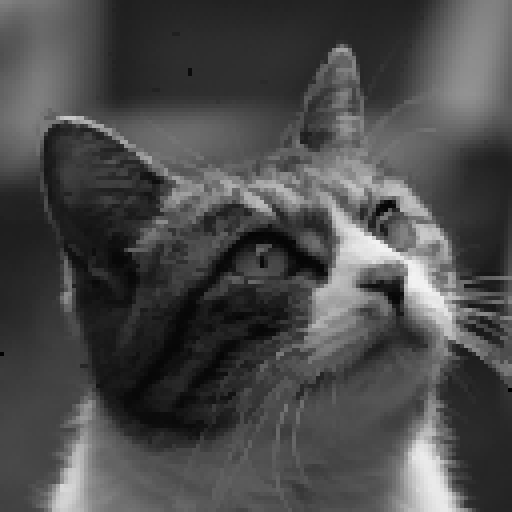
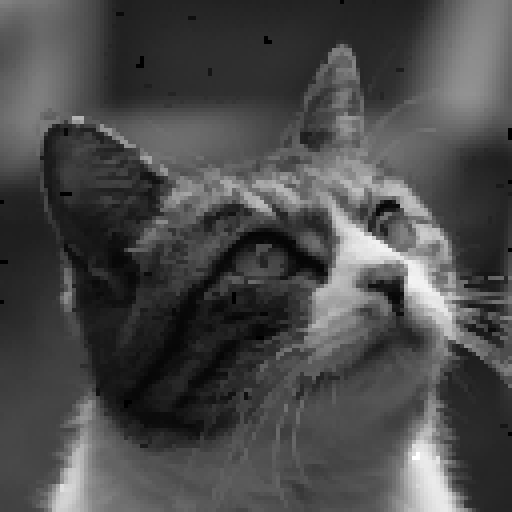
The noise dots are almost all gone, and even the inside of the eyes, the fur, and the whiskers come back close to the original.
Changing the amount of noise
These are the results of the same program with 2% (top) and 10% (bottom) of the pixels replaced (left: input, right: restored image):
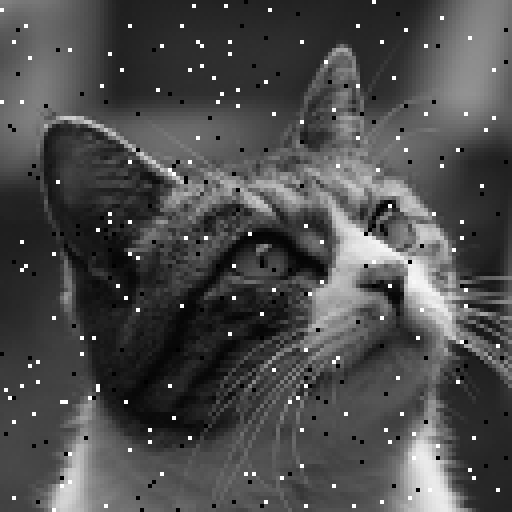
With 2% noise, the image comes back almost exactly as the original. Even with 10% noise, the inside of the eyes and the fur come back, and only a few dots remain.